Views: 0 Author: Site Editor Publish Time: 2025-10-08 Origin: Site


Have you ever wondered about the risks of wearing wireless headphones for too long? Prolonged use can harm your ears and hearing. In this post, you'll learn about potential ear infections, tinnitus, and hearing loss associated with extended headphone use.
Wearing headphones for long hours can lead to several ear health issues. Let’s explore how extended use affects your ears and hearing.
Headphones, especially in-ear types, create a warm, moist environment inside the ear canal. This traps sweat and moisture, which encourages bacteria and fungi to grow. The result? Ear infections like otitis externa, also known as swimmer’s ear. Symptoms include itching, redness, pain, and sometimes discharge.
Moreover, headphones block the natural process of earwax clearing out. Earwax protects your ear by trapping dust and debris, but when it builds up due to headphone use, it can cause discomfort and increase infection risk.
Tinnitus is a persistent ringing or buzzing sound in the ears without an external source. Listening to loud music or sounds through headphones for too long can damage the tiny hair cells inside your inner ear. These cells don’t regenerate, so damage can cause tinnitus.
Even moderate volume levels, if played for extended periods, may trigger tinnitus. This condition can disrupt sleep, concentration, and overall quality of life.
Hearing loss from headphones happens when sounds are too loud or exposure lasts too long. Sounds above 85 decibels can harm your hearing if you listen for hours. For example, a typical busy street noise is about 85 decibels. Listening to music louder than that for extended time stresses the ear’s sensory cells, leading to hearing fatigue and eventual loss.
The damage is gradual and may start as muffled hearing or difficulty understanding speech in noisy places. Over time, it can become permanent.
Using headphones at high volume levels
Wearing headphones for several hours without breaks
Using in-ear headphones that block airflow
Poor headphone hygiene leading to bacterial growth
Follow the "60-60 rule": listen at no more than 60% volume for 60 minutes at a time.
Take breaks every hour to let your ears rest.
Choose over-ear headphones that allow better airflow.
Clean your headphones regularly to prevent bacteria buildup.
Tip: Encourage employees to adopt the "60-60 rule" and schedule regular breaks during headphone use to protect their hearing health and maintain productivity.
Ear pain after wearing headphones often happens because of pressure and irritation. Headphones that fit too tightly press against the ear, causing discomfort or soreness. This pressure can reduce blood flow and irritate the skin around the ear canal or outer ear. Over time, this leads to pain or even inflammation.
In-ear headphones can also cause pain by pushing too deep into the ear canal. They might press against sensitive skin or cause tiny abrasions. If you wear earbuds for long hours without breaks, your ears don’t get a chance to recover, making pain worse.
Headphones create a warm, enclosed space around or inside the ear. This traps sweat and moisture, especially during exercise or in hot weather. Moisture buildup creates a perfect environment for bacteria and fungi to grow, increasing the risk of infections like otitis externa (swimmer’s ear).
When moisture stays trapped, your ear canal can become irritated and inflamed. This may cause itching, redness, pain, or even discharge. Using headphones without cleaning them regularly worsens the problem, as bacteria accumulate on the device surfaces.
Earwax naturally protects your ears by trapping dust and debris. Usually, it moves out of the ear canal on its own. But headphones, especially in-ear types, block this process. They push earwax deeper and prevent it from clearing naturally.
This leads to earwax buildup, which can cause a blocked feeling, muffled hearing, or discomfort. Excess wax can also increase infection risk because it traps bacteria. Trying to remove earwax yourself with objects like cotton swabs can push wax further and damage the ear canal.
Tip: To prevent ear pain and infections, clean your headphones regularly, take breaks to let your ears breathe, and avoid wearing tight or deep-fitting earbuds for long periods.
Wearing headphones safely is key to protecting your hearing and ear health. Here are some practical ways to prevent damage while enjoying your favorite sounds.
A simple guideline to avoid hearing damage is the "60-60 rule." This means:
Listen at no more than 60% of your device’s maximum volume.
Limit listening time to 60 minutes at a stretch.
Following this rule reduces the risk of overloading your ears with loud sounds or long exposure. For example, if you listen to music at 60% volume for one hour, then take a break, your ears get a chance to recover. This habit helps protect the tiny hair cells in your inner ear from permanent damage.
Besides volume limits, taking regular breaks is essential. Continuous headphone use can tire your ears, even at moderate volumes. Try these tips:
Remove headphones every hour for at least 5 to 10 minutes.
Use volume-limiting features on your device or apps.
Avoid turning up the volume to drown out background noise; instead, choose noise-canceling headphones.
Breaks give your ears time to rest and reduce the buildup of earwax and moisture, lowering infection risk. Controlling volume prevents hearing fatigue and reduces chances of tinnitus—those annoying ringing sounds.
Clean ears and headphones help prevent infections and discomfort. Keep these points in mind:
Clean your ears gently with a damp cloth; avoid cotton swabs that push wax deeper.
Wipe headphones regularly with alcohol wipes or a soft cloth.
Replace ear tips and cushions when they become dirty or worn.
Avoid sharing headphones to reduce bacteria spread.
Let ears air out by not wearing headphones continuously.
Good hygiene keeps your ears healthy and your headphones fresh. It also prevents bacteria buildup that can cause painful infections.
Tip: Encourage employees to follow the "60-60 rule" and schedule headphone breaks to maintain ear health and improve focus during work.
Selecting the right headphones plays a big role in protecting your ear health and comfort, especially if you wear them for long periods. Different styles have unique pros and cons, so understanding these helps you make a smart choice.
Over-Ear Headphones
These headphones cover your entire ear with cushioned pads. They usually offer great sound quality and allow air to flow around your ears, reducing moisture buildup. Because they don't sit inside the ear canal, they lower the risk of earwax buildup and infections. However, some models are bulky and may cause pressure or discomfort if worn too tightly.
In-Ear Headphones (Earbuds)
These fit directly inside the ear canal, providing a snug seal. They are portable and great for active use. But they can trap moisture and push earwax deeper, increasing infection risk. Plus, if they don't fit well, they may cause irritation or pain. Also, they tend to block outside noise, which might encourage users to raise the volume dangerously high.
Headband-Style Headphones
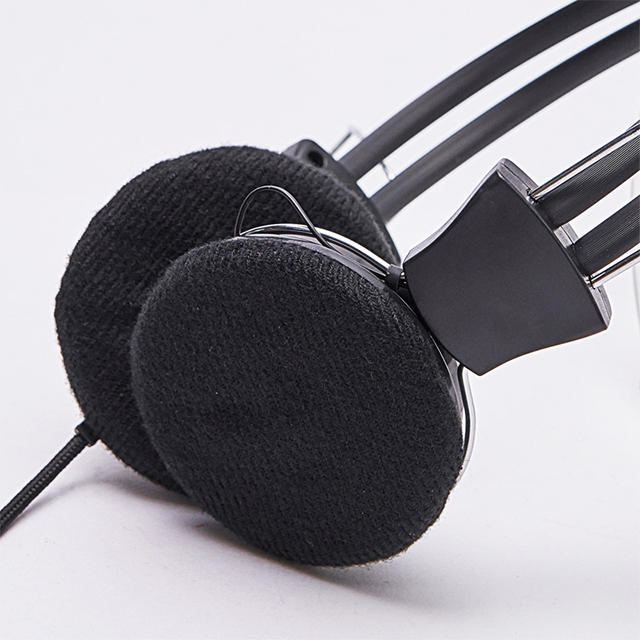
These headphones combine a soft headband with flat speakers positioned over or near the ears. They are lightweight and designed to reduce pressure on the ears, making them ideal for extended use or side sleepers. They don’t penetrate the ear canal, which helps prevent moisture and wax issues.
Noise-canceling headphones actively reduce background noise, allowing you to listen at lower volumes. This feature protects your hearing by minimizing the need to crank up the volume in noisy environments. They also improve focus and reduce stress by creating a quieter listening space.
However, keep in mind:
Prolonged use at high volumes can still damage hearing.
Noise cancellation may reduce your awareness of surroundings, so use caution outdoors or in traffic.
Comfort is key when wearing headphones for hours. Here’s how to ensure a good fit:
Adjustability: Choose headphones with adjustable headbands or multiple ear tip sizes. This helps avoid tightness or pressure spots.
Material: Look for soft, breathable materials on ear pads or tips. Silicone or memory foam tips can reduce irritation.
Weight: Lightweight models reduce strain on your head and ears.
Ventilation: Over-ear headphones that allow air circulation prevent moisture buildup.
Try different styles and sizes to find what feels best. If possible, test headphones before buying or read reviews focusing on comfort for long use.
Tip: For prolonged listening, opt for over-ear or headband-style headphones with noise cancellation and adjustable, cushioned parts to maximize comfort and protect your ear health.
Wearing headphones for too long can strain your ears and increase risks of damage. To protect your hearing, set clear time limits. Avoid continuous use beyond 60 minutes at a stretch. Taking breaks allows your ears to rest and recover. For example, after an hour of listening, remove your headphones for 5 to 10 minutes. This simple habit reduces fatigue and lowers chances of infections caused by trapped moisture.
Using timers or alarms on your device can help remind you to take breaks. Some apps also offer automatic pause features after a set time. Establishing these limits prevents overuse, especially if you get absorbed in music or calls.
Volume plays a major role in ear health. Sounds above 85 decibels can cause permanent damage if exposure is long. To stay safe, keep volume at 60% or lower of your device’s maximum. A good test is whether you can hear someone speaking nearby. If not, the volume is too high.
Many devices allow volume limiting or warnings when levels get unsafe. Use noise-canceling headphones to block background noise so you don’t feel the need to crank volume up. Listening at moderate volumes reduces risk of tinnitus and hearing loss.
If you want to reduce noise but avoid headphone risks, consider these alternatives:
White noise machines: They create consistent background sound that masks distractions without ear contact.
Earplugs: Soft, moldable earplugs reduce noise safely and are comfortable for many users.
Soundproofing: Adding curtains, rugs, or window seals can lower noise levels in your environment.
These options help protect your ears while still providing a quieter space for work or rest.
Tip: Use device timers and volume limiters to control headphone use, and explore noise-reduction alternatives like white noise machines or earplugs to protect hearing during extended listening periods.
Keeping headphones clean helps protect your ears from infections and keeps your device working well. Dirt, sweat, and earwax can build up on headphones, especially on ear tips and cushions. Here’s how to clean them safely:
Remove ear tips or cushions if possible. Wash silicone tips with warm, soapy water. Dry them completely before putting them back.
Wipe down headphones regularly using a soft cloth dampened with a little rubbing alcohol or a gentle cleaning solution. Avoid soaking any part.
Use a soft brush or cotton swab to gently remove debris from small crevices, but don’t push debris deeper into the ear tips.
Avoid sharing headphones to reduce the spread of bacteria and germs.
Regular cleaning not only extends the life of your headphones but also helps keep your ears healthy.
Headphones can become breeding grounds for bacteria if not cleaned properly. Moisture from sweat or humidity encourages microbial growth, which can cause ear infections or skin irritation. To prevent this:
Let headphones air out after use, especially if you sweat during workouts.
Don’t wear headphones immediately after showering; make sure your ears are dry first.
Replace ear tips and cushions regularly, especially if they show signs of wear, discoloration, or odor.
Store headphones in a clean, dry case to protect them from dust and moisture.
Following these habits reduces bacteria buildup and lowers your risk of ear infections.
Ear tips and cushions wear out over time. They can become less comfortable, trap more dirt, and lose their ability to form a good seal, which affects sound quality and hygiene.
Replace silicone or foam ear tips every few months or sooner if they look damaged.
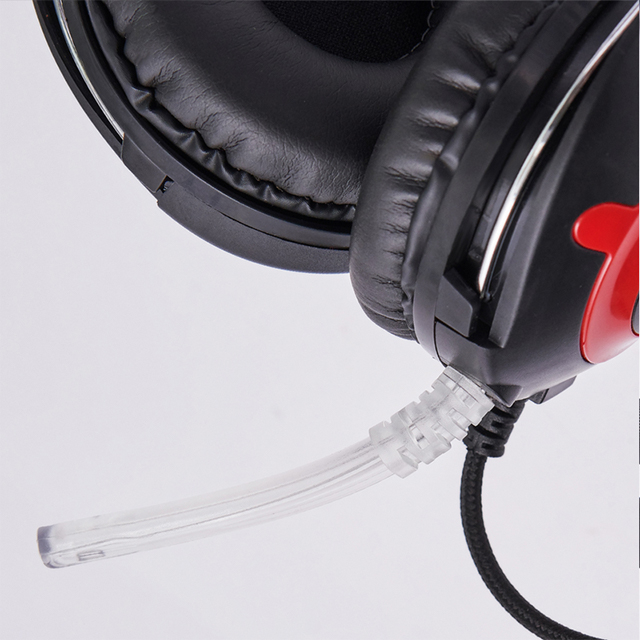
Replace cushions on over-ear headphones when they become flattened, cracked, or sticky.
Using fresh tips and cushions improves comfort, sound isolation, and ear health.
If you wear headphones daily or during exercise, replacing parts more often is wise.
Tip: Schedule regular cleaning and timely replacement of ear tips and cushions to maintain headphone hygiene and protect ear health during extended use.
Prolonged headphone use can lead to ear infections, tinnitus, and hearing loss. To protect ear health, follow safe practices like the "60-60 rule," take regular breaks, and maintain volume control. Adopt mindful listening habits and ensure proper headphone hygiene. Choose comfortable, well-fitting headphones to minimize risks. Progress Electronic Technology offers innovative solutions that prioritize ear health, providing high-quality headphones designed for safe, enjoyable listening experiences. Protect your hearing by integrating these practices into daily routines.
A: Yes, wearing wireless headphones for extended periods can trap moisture and sweat, creating an environment for bacteria growth, leading to ear infections.
A: Listening to loud sounds through wireless headphones for too long can damage inner ear hair cells, potentially causing tinnitus, a persistent ringing in the ears.
A: Using wireless headphones at high volumes for long durations can damage sensory cells in the ear, leading to gradual hearing loss.