Views: 0 Author: Site Editor Publish Time: 2026-08-14 Origin: Site


Bulky over-ear headsets trap heat and cause physical fatigue during marathon gaming sessions. Competitive players increasingly abandon them for lightweight, breathable alternatives. However, finding the right replacement introduces a major buyer's dilemma. Most consumer earbuds fall completely short in high-stakes gaming contexts. They routinely suffer from severe microphone compression, high latency, and poor directional audio masking critical enemy footsteps. To succeed, an ideal pair must deliver zero-perceivable audio delay, precise spatial cues for competitive play, and vocal clarity. Your teammates on Discord deserve to hear you clearly during intense firefights. We must acknowledge one transparency note upfront. No true wireless earbud will match the microphone fidelity of a dedicated studio mic or premium over-ear headset. Our goal involves finding the best strategic compromise. You will learn how to evaluate connection types, microphone architectures, and platform compatibility to elevate your daily gaming setup.
Latency is the ultimate filter: For competitive FPS, a 2.4GHz USB-C dongle or a wired connection is mandatory; Bluetooth is generally insufficient despite "gaming mode" claims.
Mic placement dictates clarity: Physical boom mics or in-line mics on wired earbuds consistently outperform the built-in beamforming arrays found in true wireless (TWS) models.
Fit equals performance: Proper ear tip seals dictate both passive noise isolation and low-end frequency response (footsteps/explosions).
Ecosystem locks exist: Xbox and PlayStation have proprietary wireless constraints that strictly limit which earbuds will connect seamlessly.
Audio delay outright destroys reaction times in competitive FPS titles like Valorant or CS2. Human reaction time averages around 200 milliseconds. If your audio equipment introduces another 150 milliseconds of delay, you lose the gunfight before you even register the enemy. This reality makes connection type the absolute most critical purchasing factor.
Wired connections remain the foolproof, zero-latency standard in the industry. They offer absolute reliability and generally cost significantly less than wireless counterparts. Analog signals travel instantly through the copper wire. You never have to worry about battery degradation or wireless interference from nearby Wi-Fi routers. The trade-off involves physical mobility limits and desktop cable management. However, for sheer competitive integrity, wires rule supreme.
If you demand wireless freedom, 2.4GHz USB dongles represent the current gold standard. Radio frequency transmission completely bypasses standard Bluetooth compression pipelines. Dedicated dongles regularly achieve sub-30ms latency. This imperceptible delay provides a real-time auditory experience essential for competitive play. They consume more battery power, but the performance jump justifies the cost.
Conversely, standard Bluetooth serves as a mobile-friendly compromise. Manufacturers often advertise "gaming modes" using low-latency codecs like aptX Adaptive or LC3. These codecs attempt to shrink audio packet sizes to speed up delivery. Unfortunately, they remain highly risky for competitive PC or console play. Delay spikes happen frequently in congested wireless environments. Furthermore, Bluetooth technology struggles to handle high-quality game audio and microphone input simultaneously. You might enjoy them for casual mobile games, but they fail during serious competitive matches.
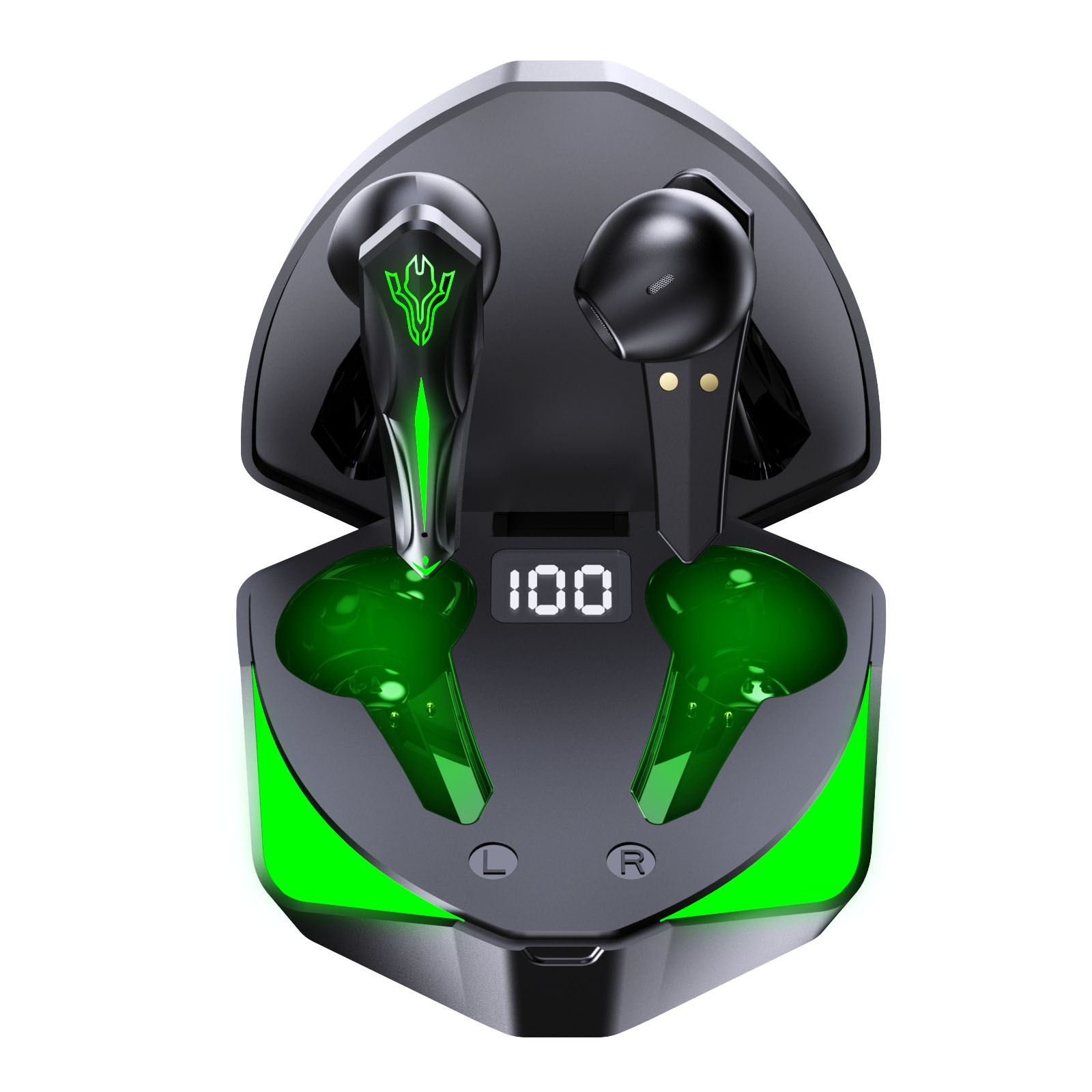
When testing various Earbuds With Microphone designs, you immediately notice massive differences in voice quality. Different hardware architectures present unique trade-offs for vocal clarity. Manufacturers must balance physical size against acoustic performance.
Detachable boom mics offer the absolute highest background noise rejection. They place the condenser capsule directly beside your mouth. This proximity captures rich vocal tones while naturally rejecting mechanical keyboard clicks. You sound crisp and authoritative to your squad. The main risk involves added weight. A physical boom arm protruding from your ear piece adds noticeable bulk and can disrupt the natural balance of the earbud.
In-line cable mics represent the traditional wired approach. They deliver reliable analog transmission without any battery drain concerns. The microphone module usually sits near your jawline on the right cable strand. You get solid, consistent voice quality. A noticeable drawback is microphonics. The plastic microphone casing can brush against your shirt collar. This friction sends loud scratching sounds directly into your team chat.
Built-in true wireless (TWS) microphones offer maximum convenience. They use invisible beamforming arrays hidden completely inside the earpiece. However, this architecture relies heavily on aggressive noise-gating algorithms. The physical microphones sit too far from your mouth to capture audio cleanly. During chaotic gameplay, software algorithms often compress your voice heavily while trying to cancel out room noise. Teammates might complain you sound robotic or muffled. If your primary use case involves daily Discord communication, prioritize boom or in-line options over TWS models.
Competitive gamers require completely different audio tuning than casual music listeners. Proper soundstage and imaging dictate your ability to pinpoint exact enemy locations. You need precise directional audio to identify the exact angle and elevation of approaching footsteps. Many consumer models push blown-out, cinematic bass to make single-player explosions sound exciting. Unfortunately, this bloated low-end masks crucial mid-range frequencies. It entirely hides subtle reload cues and distant gunfire.
We must also evaluate noise reduction techniques. A tight mechanical seal provides excellent passive noise isolation. This physical silicone or foam barrier blocks room noise naturally. It often benefits gamers far more than Active Noise Cancellation (ANC). ANC software uses inverted soundwaves to cancel background hums. While impressive for airplane travel, ANC can occasionally introduce subtle audio processing delays. Minor sync issues frustrate competitive players who rely on split-second audio feedback.
Evidence shows esports professionals increasingly adopt multi-driver In-Ear Monitors (IEMs) for tournament play. These advanced acoustic units house dedicated drivers for specific frequency ranges. They might use a dynamic driver for bass and balanced armatures for treble. They separate highs, mids, and lows far better than standard single-dynamic driver gaming earbuds. This physical separation prevents complex game audio from muddying together. You hear the crisp snap of a breaking window perfectly clearly, even while a grenade explodes nearby.
Audio quality means nothing if the device causes physical pain. An earbud causing fatigue after forty-five minutes is a failed investment. Long gaming sessions require careful attention to outer ear anatomy and weight distribution. True wireless models pack heavy internal batteries, touch sensors, and Bluetooth chips into tiny plastic housings. This weight sits entirely in your concha bowl. It creates noticeable pressure points over time.
Conversely, wired IEMs feature incredibly lightweight acrylic or resin shells. They lack internal batteries entirely. Furthermore, the cable typically drapes over the top of your ear. This over-ear routing distributes the minimal weight evenly across your ear lobe. You can wear them for eight hours without experiencing structural fatigue.
Your choice of ear tips directly impacts both comfort and acoustic performance. A proper fit ensures maximum passive isolation and correct bass response. If the seal breaks, you lose all low-end frequencies immediately. We can evaluate the two most common materials used today.
Ear Tip Material Comparison Chart
Material Type | Durability | Comfort Level | Acoustic Impact |
|---|---|---|---|
Silicone Tips | High (Easy to wash and reuse) | Standard, causes less heat buildup | Balanced isolation and neutral sound |
Memory Foam | Low (Degrades and tears over time) | High, conforms to ear canal shape | Superior tight seal and deeper bass |
Silicone tips offer great longevity. They wipe clean easily and rarely tear. Memory foam tips expand to fill your unique ear canal perfectly. They boost passive isolation significantly but retain body heat. You will likely need to replace foam tips every few months as they lose elasticity.
Hardware ecosystems strictly dictate which audio devices function properly. You cannot assume universal compatibility across modern gaming consoles. Each platform imposes unique connection constraints designed to control the user experience.
PC gaming offers maximum flexibility. Windows natively accepts 2.4GHz dongles, split analog cables, and high-resolution Bluetooth connections. You face virtually zero ecosystem restrictions. You can mix and match DACs, amplifiers, and standalone microphones freely.
The PlayStation 5 requires specific USB-A or USB-C dongle support for wireless audio. Sony does not support native Bluetooth audio transmission without third-party adapters. If you buy standard Bluetooth models, they will not connect directly to the PS5 console. You must verify PS5 compatibility printed on the product box. Alternatively, you can plug a 3.5mm analog cable directly into the DualSense controller.
Xbox Series X and S consoles present the absolute most restrictive ecosystem. Microsoft requires a "Made for Xbox" proprietary security chip inside any wireless dongle. Standard wireless models simply will not connect to the console. Your easiest workaround involves plugging a wired connection directly into the Xbox controller. Do not buy wireless units for Xbox unless you see the official green branding.
The Nintendo Switch and modern mobile devices thrive on newer standards. They utilize Bluetooth effortlessly for casual gaming. They also accept compact USB-C dongles for lower latency setups.
Follow these steps to verify your hardware compatibility:
Check your primary console for available, unobstructed USB-C ports.
Verify if the manufacturer explicitly lists official Xbox or PlayStation licensing.
Test your controller's 3.5mm jack to ensure analog fallback options function properly.
Confirm your PC motherboard has separate mic and headphone jacks if using older split cables.
Selecting the perfect audio gear requires an honest evaluation of your gaming habits. No single product excels in every possible environment. Use this decision framework to finalize your choice and invest your budget wisely.
If competitive advantage remains your only metric, buy wired IEMs. Pair them with a dedicated inline or detachable boom mic. You eliminate latency entirely and gain surgical audio precision. You will never worry about charging batteries between ranked matches. The analog reliability keeps your focus entirely on gameplay.
If wireless couch gaming is your primary goal, shortlist true wireless models featuring a dedicated 2.4GHz USB-C dongle. You must verify console compatibility before purchasing. This setup blends living room comfort with acceptable latency speeds. You can sit ten feet from your television without tripping over cables.
If daily commuting and casual mobile gaming dominate your schedule, evaluate high-end Bluetooth options. Look for models featuring active "Gaming Modes" and strong ANC. They handle noisy subway rides beautifully. Just remember they will underperform slightly during intense PC multiplayer sessions. Adding versatile Earbuds With Microphone functionality to your everyday mobile loadout keeps you connected anywhere you travel.
Finding the ultimate gaming audio solution requires balancing inherent technological trade-offs. You rarely get flawless voice chat, zero latency, and true wireless convenience in one single device. Prioritize wired IEMs if you demand zero latency and top-tier competitive spatial audio. Select 2.4GHz wireless dongle setups for the best balance of couch comfort and fast reaction times.
Always define your primary gaming platform and daily chat frequency before spending over $100. Accept that standard Bluetooth connections remain unsuitable for serious competitive shooters due to inherent delay. Determine your non-negotiable features first. You can then invest confidently in a setup perfectly tailored to your specific playstyle and environment.
A: Standard Bluetooth models are highly discouraged for competitive shooters. They typically suffer from 150ms or higher latency. This delay severely impacts your reaction time. Furthermore, connecting them to a PC often forces Windows into a low-quality "hands-free" audio profile. This drastically degrades both game audio and microphone clarity simultaneously.
A: This happens due to severe Bluetooth bandwidth limitations. The wireless connection must split its limited data capacity between receiving high-quality game audio and sending your microphone signal. To maintain connection stability, the device heavily compresses your outbound voice data. Aggressive noise-canceling algorithms further compress vocal frequencies, creating that underwater sound.
A: In many cases, yes. Professional players often choose audiophile In-Ear Monitors (IEMs) over heavily marketed gaming models. IEMs utilize multiple drivers to separate frequencies cleanly. This provides superior passive noise isolation and highly accurate spatial imaging. Pros typically pair these high-end IEMs with a standalone USB desk microphone to achieve optimal esports performance.